Features of Bob Player
Bob Player stands out from the crowd because of its well-rounded feature set. Here is what you get when you install it on your Fire TV Stick:
- ✔ M3U and Xtream Codes playlist support
- ✔ Built-in Electronic Program Guide (EPG)
- ✔ Catch-up TV and time-shift playback
- ✔ Separate sections for Live TV, Movies, and Series
- ✔ Favorites and recently watched lists
- ✔ Multiple audio track and subtitle support
- ✔ Parental controls with PIN protection
- ✔ External player support (MX Player, VLC)
- ✔ Multiple playlist management
- ✔ Smooth remote-control navigation optimized for TV
- ✔ Auto-reconnect on stream interruption
- ✔ Regular updates and active developer support
If you want to compare Bob Player with other options, take a look at Tivimat or IPTV Smarters Pro as popular alternative IPTV players in the same category.
Compatible Devices
One of the biggest advantages of Bob Player is its wide device compatibility. You are not limited to just the Fire TV Stick — the app runs on a broad range of platforms.
| Device Type |
Compatibility |
Notes |
| Amazon Fire TV Stick | ✔ Full Support | All generations including 4K and Lite |
| Android TV / Google TV | ✔ Full Support | Install via APK sideload or direct store |
| Smart TVs (Android-based) | ✔ Full Support | Samsung, LG (Android), Sony, TCL |
| Android Tablets & Phones | ✔ Full Support | Android 5.0 and above |
| Nvidia Shield | ✔ Full Support | Excellent performance on Shield Pro |
| MAG Boxes | Partial | Check official site for latest compatibility |
No matter what device you are using, Bob Player delivers a consistent and reliable streaming experience. Visit bobplayer.co.com for the latest compatibility information and download links.
Frequently Asked Questions (FAQ)
Is Bob Player available on Firestick?
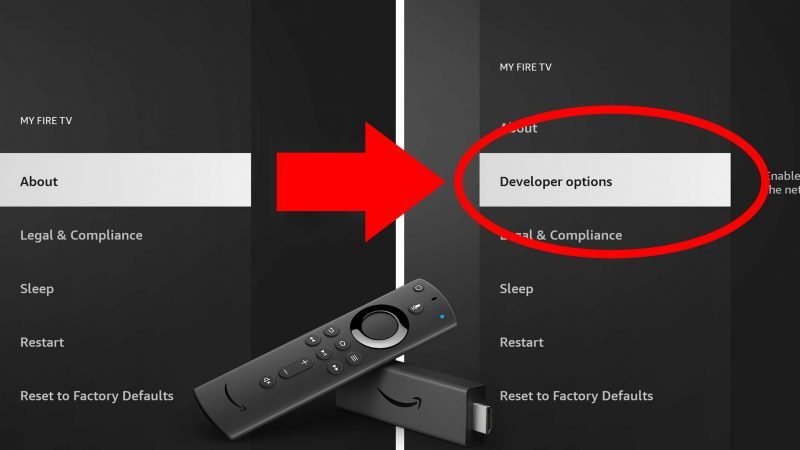
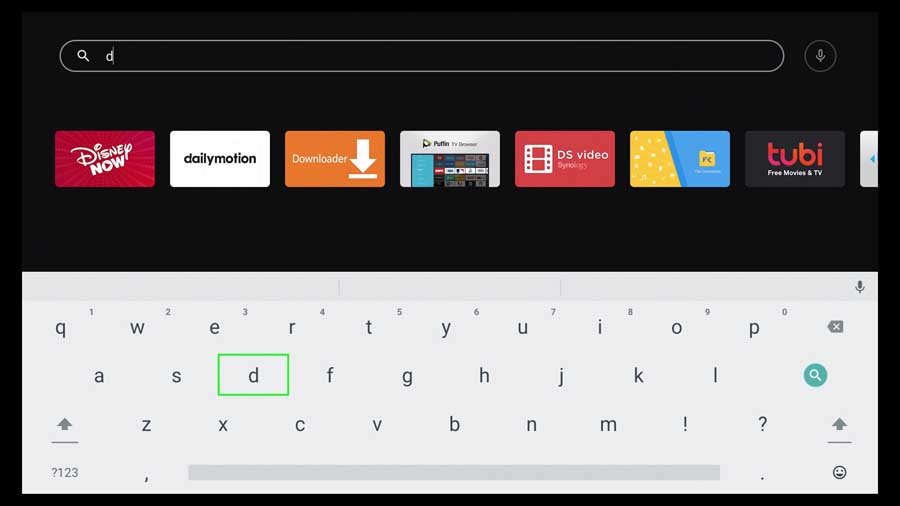
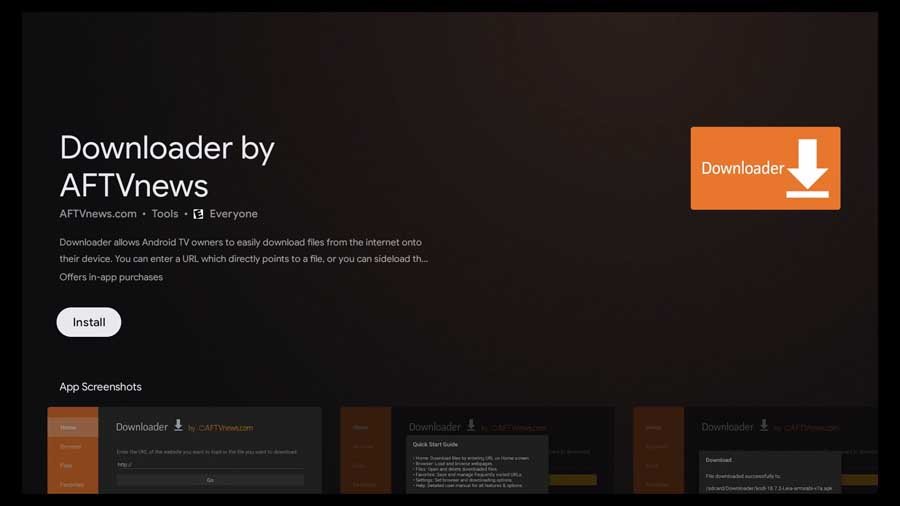
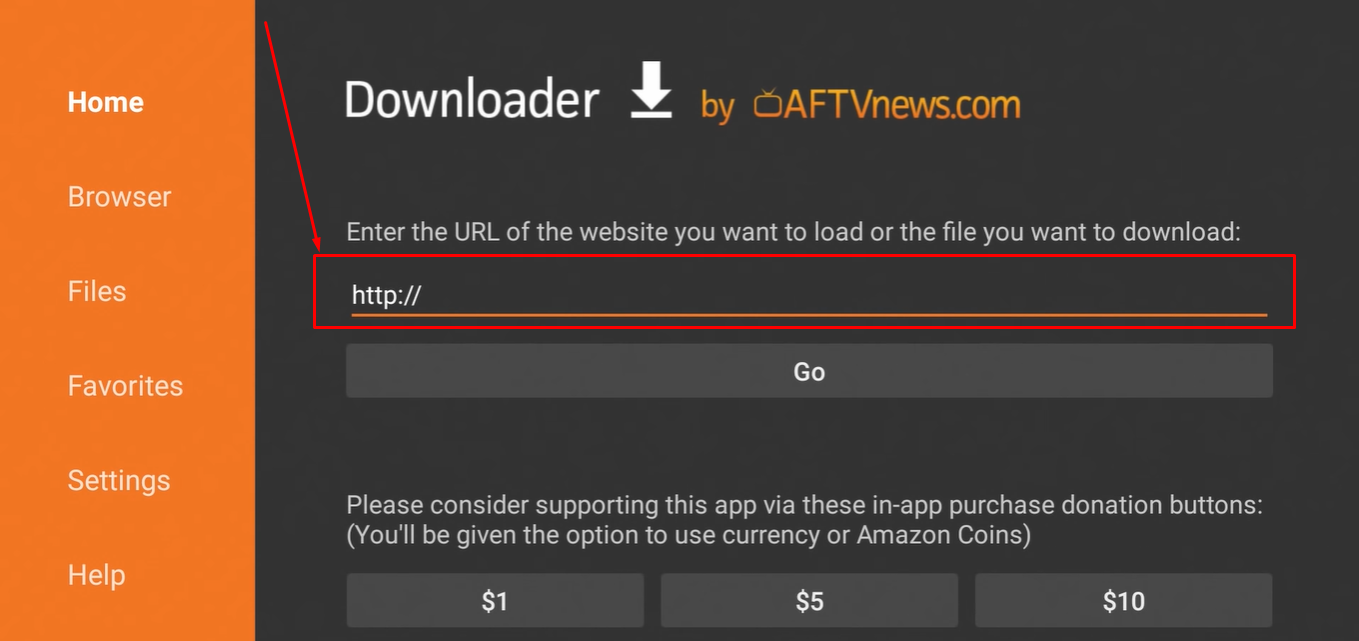
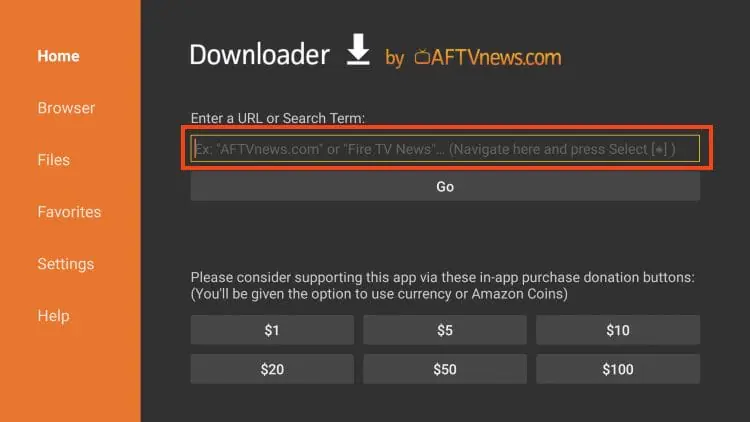
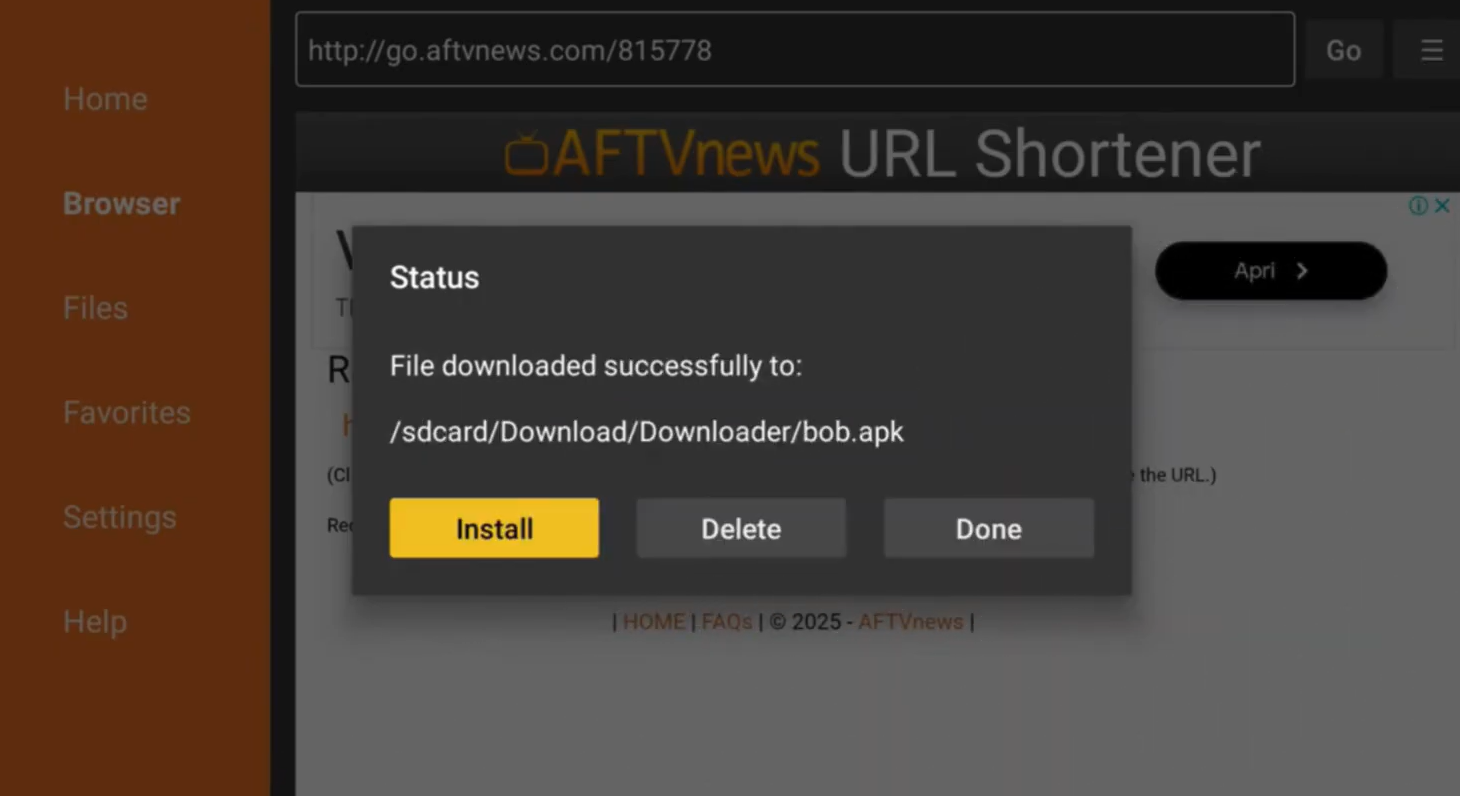
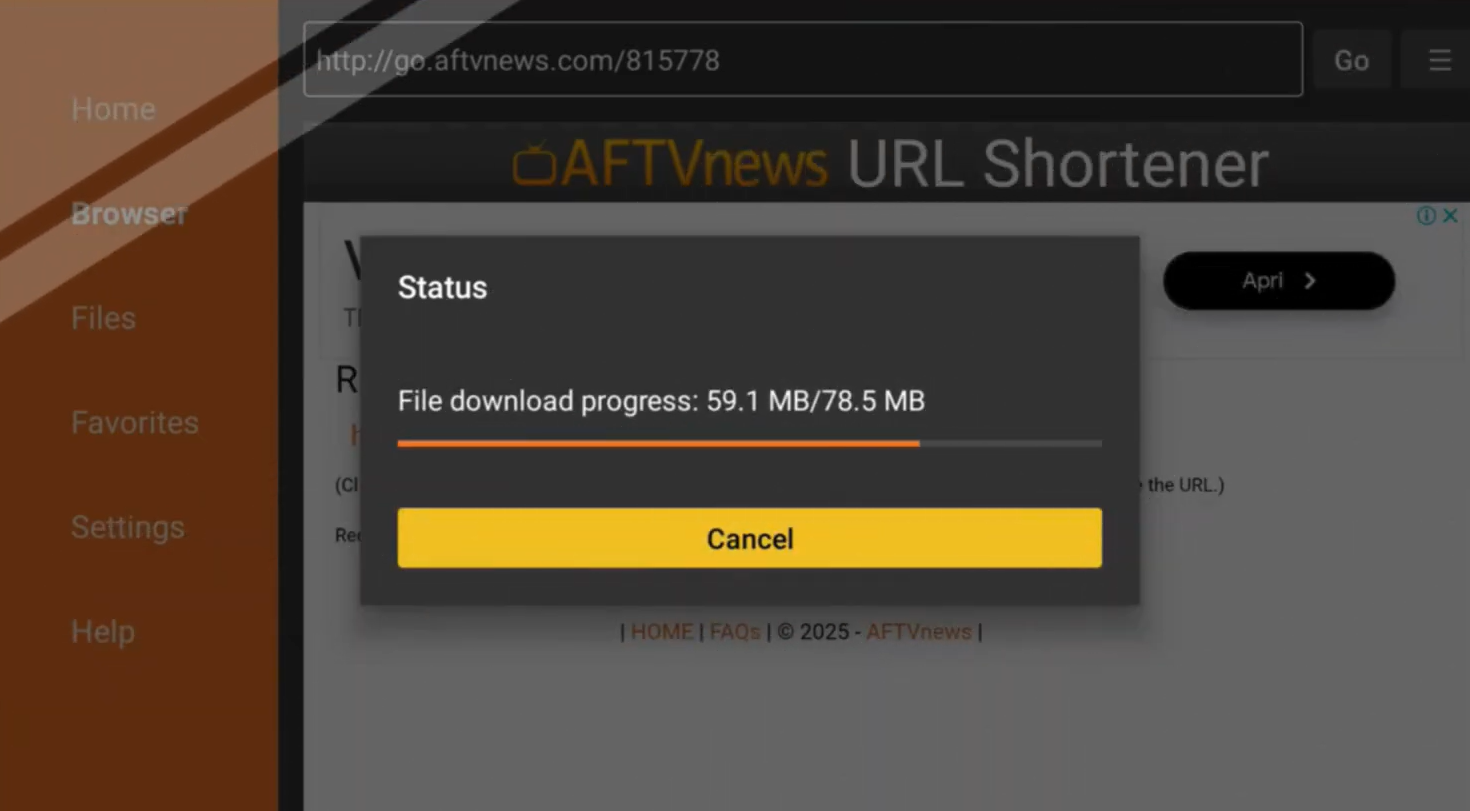
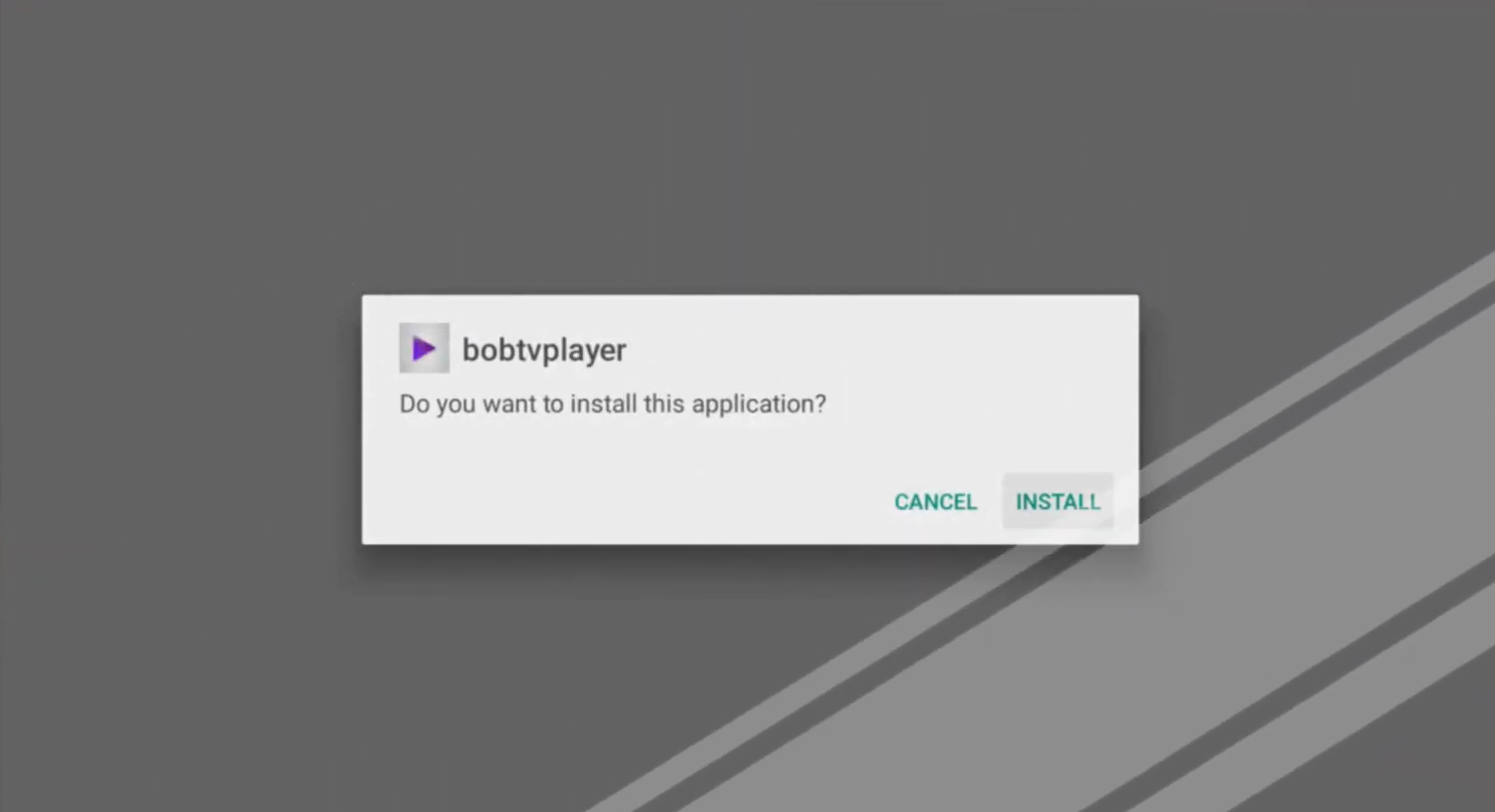
Yes. Bob Player is fully compatible with Amazon Fire TV Stick. Since it is not listed in the Amazon Appstore, you need to sideload it using the Downloader app. The process is straightforward and takes less than five minutes — just follow the steps outlined in this guide on how to install Bob Player on Fire TV Stick.
Is Bob Player free?
Bob Player offers a free 24-hour trial that lets you test all features before purchasing a subscription. After the trial, a paid plan is required to continue using the app. You can activate your free trial at bobplayer.co.com/free-trial-24h.
Can Bob Player play M3U playlists?
Absolutely. Bob Player natively supports M3U URL playlists. Simply paste your M3U link into the Add Playlist section and the app will automatically organize your channels into Live TV, Movies, and Series categories. It also supports EPG URLs for program guide data.
Is Bob Player safe to use?
Bob Player is a legitimate IPTV player application. It does not host or provide any content itself — it simply plays streams from your IPTV subscription. As long as you download the APK from the official website at bobplayer.co.com, the app is safe to install and use.
What IPTV service works best with Bob Player?
Bob Player works with any IPTV service that provides M3U links or Xtream Codes credentials. For recommendations on compatible IPTV services and player comparisons, visit the best IPTV players blog. You can also explore other IPTV apps to find the combination that works best for your needs.
Conclusion
Now you know exactly how to install Bob Player on Fire TV Stick from start to finish. The process involves enabling unknown sources, installing the Downloader app, fetching the Bob Player APK, and connecting your IPTV playlist — all of which can be done in under ten minutes even if you have never sideloaded an app before.
Bob Player is one of the most capable IPTV players available for Firestick in 2026. Its support for M3U playlists, Xtream Codes, EPG, catch-up TV, and parental controls makes it a complete solution for any IPTV user. Whether you are switching from other IPTV players or setting up IPTV for the first time, Bob Player is a solid choice that delivers on its promises.
Ready to give it a try? Start with the free 24-hour trial and see for yourself why so many streamers are making the switch to Bob Player.