
How to Install Bob Player on Your TV
Follow this step-by-step guide to install Bob Player on your Android TV, Fire TV, or compatible TV device.
There are two simple ways to install Bob Player on a compatible TV. If Bob Player is available directly through your TV's app store, you can install it from there. If it is not available, you can use the Downloader application with the Bob Player code.
Install Bob Player from Your TV App Store
The first method is the easiest option. If your TV has Bob Player available in its official app store, you can install it directly.
- Open the app store on your TV.
- Use the search function.
- Search for Bob Player.
- Select the Bob Player application.
- Choose Install or Get.
- Wait until the installation is complete.
- Open Bob Player from your TV's apps.
Install Bob Player Using Downloader
If Bob Player is not available directly in your TV's app store, you can use the Downloader application to access the Bob Player download page.
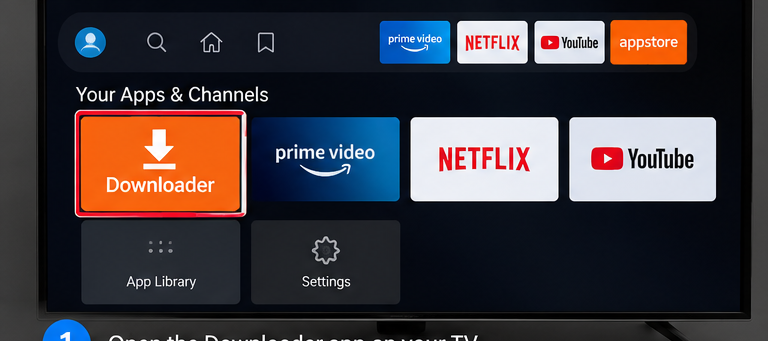
Open the Downloader App
Open the Downloader application on your TV or Fire TV device.
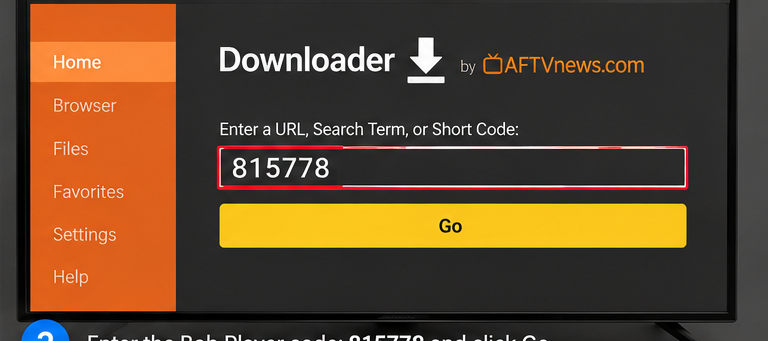
Enter the Bob Player Code
In Downloader, enter the following Bob Player code and select Go.
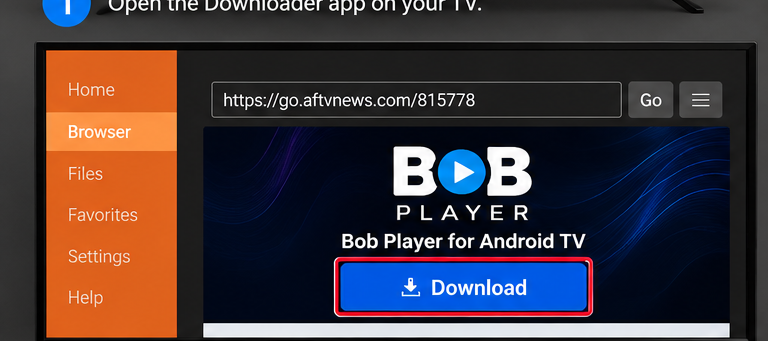
Open the Bob Player Download Page
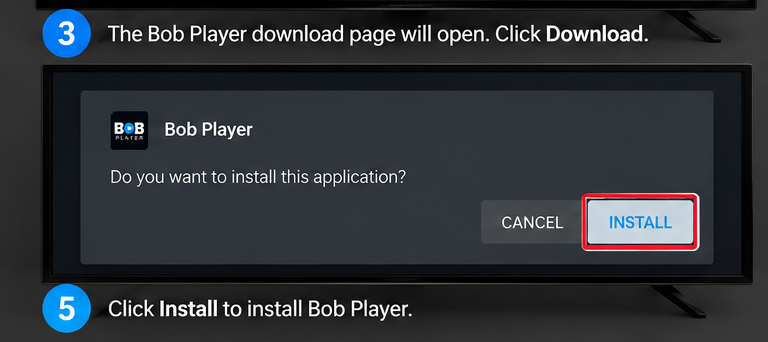
After entering the code, the Bob Player download page will open. Select the Download button.
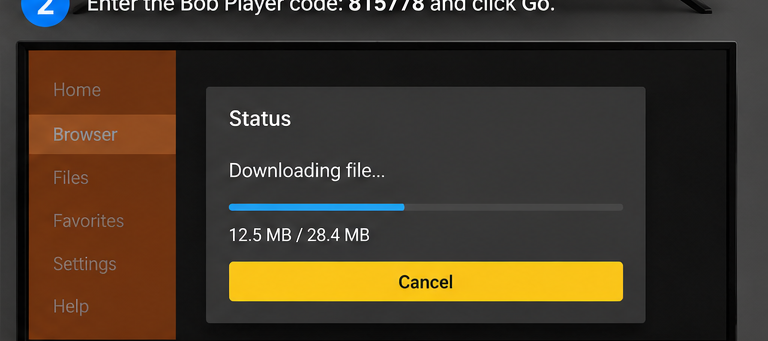
Wait for the Download
Downloader will start downloading the Bob Player installation file. Wait until the download has finished.
Install Bob Player
When the installation screen appears, select Install and wait for the installation to finish.
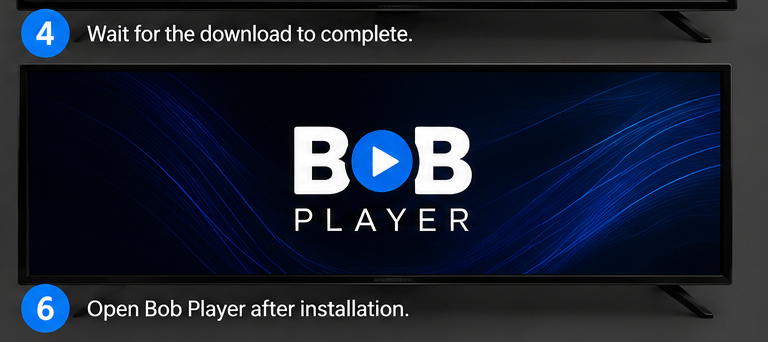
Open Bob Player
Once installation is complete, open Bob Player from your TV's applications and continue with the setup.
What to Do After Installing Bob Player
After opening Bob Player for the first time, you can continue with the playlist setup process.
- Open Bob Player.
- Follow the instructions displayed in the application.
- Use your own compatible IPTV playlist or service credentials.
- Complete the playlist setup.
- Start using Bob Player to play your available content.
Bob Player Installation Troubleshooting
If you have trouble installing Bob Player, check the following points.
Downloader is not installed
Open your TV's app store, search for Downloader, and install the application before continuing.
Code does not open
Make sure the code is entered correctly: 815778.
Download does not start
Check that your TV has an active internet connection and try the download again.
Installation does not complete
Make sure there is enough available storage on your TV and retry the installation.
Frequently Asked Questions
How do I install Bob Player on my TV?
You can install Bob Player from your TV's app store if it is available. Otherwise, use Downloader and enter the code 815778.
What is the Bob Player Downloader code?
The Bob Player Downloader code shown in this installation guide is 815778.
Do I need Downloader to install Bob Player?
Not always. If Bob Player is available in your TV's official app store, you can install it directly. Downloader is an alternative installation method.
Can I use Bob Player on Fire TV?
The Downloader installation method shown in this guide is intended for compatible TV and Fire TV devices.
Does Bob Player include IPTV channels?
No. Bob Player is a media player and does not provide, host, or sell IPTV channels or subscriptions.
What do I need after installing Bob Player?
You need your own compatible IPTV playlist or service credentials to configure the player.
Ready to Use Bob Player?
Download Bob Player or continue to the setup guide to configure your playlist.